Launch monitor numbers: the four worth reading on a Garmin R10, and the ten you can ignore
Fourteen numbers after every swing, and after forty balls you remember only the longest drive. Most of the screen is calculated or estimated. Four numbers deserve your attention; here is how to read them and what to leave aside.
In brief
- Garmin publishes an accuracy figure for the R10's ball speed (1 mph), launch angle and launch direction (1 degree) and carry (5 yards), and none for spin, club path or face angle.
- Read carry over ten balls as a spread, not as a best shot; a three-yard change between sessions is within the margin.
- Total distance, spin with ordinary balls, club path, face angle and smash factor are calculated values best left aside.
- In September 2026 a U.S. golf retailer listed the Approach R10 at $499.99, down from a regular $599.99; virtual courses need a paid membership.
The first session on a launch monitor usually goes the same way. Fourteen numbers appear after every swing, each one moves a little, and after forty balls you remember the longest drive and nothing else. The screen is not the problem; the reading is. Most of what a consumer unit shows is either derived from a handful of real measurements or estimated outright, and a golfer who tries to follow all of it ends up following none of it. Four numbers are worth your attention in almost every session. The rest can wait, and some of them can be ignored for good.
We use one popular unit as a worked example, the Garmin Approach R10, because it is the launch monitor many golfers buy first and because Garmin publishes an accuracy figure for some of its numbers and not for others. That distinction turns out to be the whole method. The specifications come from Garmin, the price was read at an American golf retailer in September 2026, and nobody here has hit a ball in front of the device.
The example: what Garmin publishes about the Approach R10
The Approach R10 is a small Doppler radar that sits on the ground behind the ball and sends its data to the Garmin Golf app on a phone or tablet. According to Garmin:
- Size and weight. 88.5 x 70.25 x 25 mm, 148 grams without its tripod and 220.8 grams with it. Battery life of up to 10 hours, water rating IPX7.
- Fourteen metrics. Club head speed, club face angle, club path, angle of attack, ball speed, launch angle, launch direction, spin axis, spin rate, apex height, smash factor, carry distance, total distance and deviation distance.
- Published accuracy. Ball speed within 1 mph, launch angle within 1 degree, launch direction within 1 degree, club head speed within 5 mph and carry distance within 5 yards. Garmin publishes no accuracy figure for the other nine.
- Placement. Six to eight feet behind the ball, and the ball at least eight feet from the net indoors, according to the owner’s manual.
- Spin. Garmin says that hitting Titleist Pro V1 or Pro V1x balls with Radar Capture Technology improves spin rate accuracy by up to 30 times and carry accuracy by up to 50 percent.
- Software. Virtual rounds on more than 43,000 courses need a paid Garmin Golf membership after a free 30-day trial. The driving range mode and third-party simulator links such as E6 Connect and Awesome Golf are listed separately, some with their own subscriptions.
In September 2026, a U.S. golf retailer listed the Approach R10 at $499.99, down from a regular price of $599.99. That is the price of a new driver, which is a good reason to learn what the screen is actually worth before you buy one, or before you give up on the one you have.
Why four numbers and not fourteen
A radar sees the ball well. It sees it leave the face, it tracks how fast it goes and in which direction, and from that it can work out a great deal. What it sees less well is the club, which is thinner, faster and closer to the ground, and the spin of a ball that looks the same from every side. So a consumer radar measures a few things directly and calculates the others from them, and each calculation adds its own margin to the margins before it.
The rule we suggest is simple: trust the numbers the maker is willing to put an accuracy figure on, and treat the rest as hints. On the R10, that gives you ball speed, launch angle, launch direction and carry. Club head speed has a published margin too, but at five miles an hour either way it is too wide to judge a single swing. Our earlier piece on which launch monitor numbers are real explains the difference between radar and camera units; this page is about what to do with the screen once you own one.
Number one: carry, read as a spread
Carry is the distance the ball flies before it lands, and it is the number that decides which club you pull on an approach shot. Almost every club golfer overestimates it, because memory keeps the best strike and forgets the thin one.
Do not read carry one shot at a time. Hit ten balls with the same club, then look at three values: the typical carry, the shortest reasonable one and the longest. Leave out the obvious mishit. A 7-iron that carries between 138 and 152 yards tells you far more than the 156 you will want to remember, and the gap between those numbers is the real measure of your consistency. Our guide to wedge distances uses the same idea with shorter swings.
Keep in mind the five-yard margin Garmin publishes. A difference of three yards between two sessions is noise. A difference of twelve is a real change.
Number two: ball speed
Ball speed is the most accurately measured number on the screen, within one mile an hour according to Garmin, and it is the most honest answer to the question “did I hit that one well?” For a given club, a higher ball speed means a faster swing, a better strike, or both.
It is the number to watch when you try anything that is supposed to add distance: a speed-training plan, a new shaft, a different tee height. Watch the average over ten swings, not the peak. If your average driver ball speed goes from 128 to 132 miles an hour over a month, the change is real. If one swing hits 138, it is a good swing, not a new level.
Smash factor, which divides ball speed by club head speed, looks like a strike-quality score. On a unit where club head speed carries a margin of five miles an hour, that ratio moves around too much to mean anything shot by shot. Use ball speed on its own instead.
Number three: launch angle
Launch angle is the angle at which the ball leaves the ground, and it explains most of the flights that feel wrong: the drive that climbs and falls short, the iron that never gets up, the wedge that flies lower than expected. With a one-degree margin, it is precise enough to compare settings and swings.
Its most useful job is with the driver. If your launch sits well below that of the golfers around you at the same speed, a loft change is worth trying, and our guide to adjusting your own driver explains how to do it one step at a time. With the irons, compare launch between clubs: if your 6-iron and 8-iron launch at nearly the same angle, the longer club is probably not earning its place in the bag.
Number four: launch direction
Launch direction tells you where the ball started relative to the target line, in degrees left or right. Because the face angle at impact largely decides where the ball starts, this number is the most reliable way a consumer radar gives you to know what your face is doing, and Garmin gives it the same one-degree margin as launch angle.
Read it together with where the ball finished. A ball that starts two degrees right and curves further right tells a different story from one that starts two degrees left and curves back right. Over a bucket, if most of your shots start on the same side, you have learned something that no feeling on the range will tell you as clearly.
The numbers to put aside
- Total distance. Roll is calculated from a model of the ground, not measured. On a real course it depends on the grass, the slope and the weather. Carry is the number that transfers.
- Club path and face angle. On the R10 these are derived from the ball’s flight, and Garmin publishes no accuracy for them. They can point in the right direction over many shots, but they are not precise enough to rebuild a swing, and chasing them alone is how golfers spend a winter fixing the wrong problem.
- Spin rate and spin axis, unless you use the compatible Titleist balls Garmin mentions. With ordinary balls, especially indoors, spin is the number that moves most without reason.
- Apex, deviation and smash factor. They are calculated from the others, and they add margins rather than information.
- Your best shot. It is not a number on the list, but it is the one everybody reads first. Leave it out.
Setting up so the four numbers are worth reading
A radar that is badly placed turns good numbers into bad ones, and the owner’s manual is clear about the steps that matter.
- Distance. Place the unit six to eight feet behind the ball, and tell the app the exact distance when it asks.
- Alignment. Line up the red mark on the device with the ball and the target. Garmin suggests checking it with a short, straight wedge shot: if the launch direction on the screen does not match what you saw, turn the unit and try again. A few degrees off in alignment means a few degrees off in every direction reading.
- Conditions. Set the weather and altitude in the app to match where you usually play. A carry chart built for sea level is wrong in Denver.
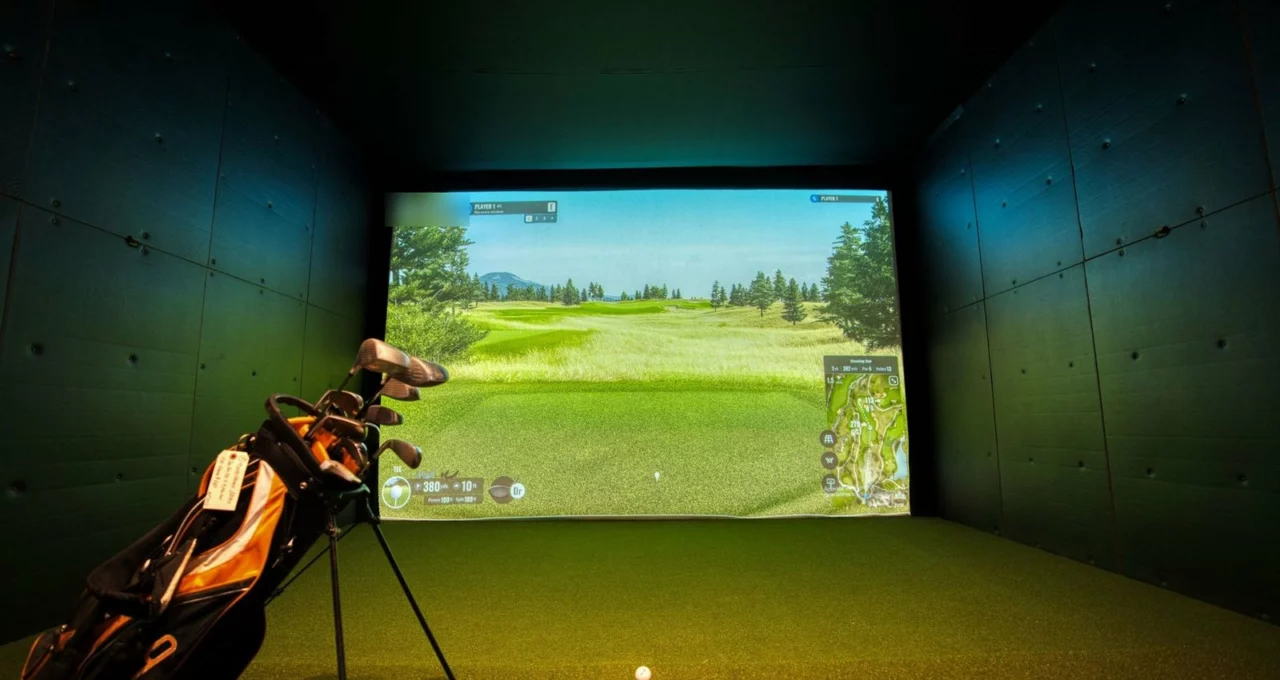
- Indoors. Leave at least eight feet between the ball and the net, and remember that a mat forgives a heavy strike that turf would punish, so indoor iron carries tend to flatter you.
A thirty-ball session built on four numbers
Here is one way to use the screen without drowning in it. Before the first ball, write down one question: “How far does my 8-iron really carry?” or “Does the new tee height add ball speed?” Then:
- ten warm-up balls with a short iron, without looking at the screen;
- ten balls with the club in question, reading only the number that answers your question;
- ten balls with the change you are testing, reading the same number.
Compare the averages and the spreads, write them down, and stop. A session that answers one question is worth more than an hour of watching numbers go by. Our advice on making a range session count works the same way with or without a screen.
What golfers are saying about the Approach R10
The R10 is one of the most discussed launch monitors in golf forums, simulator communities and public retailer reviews, and the same points come back again and again. What follows is a summary of recurring remarks, not a count.
What they praise.
- Carry and ball speed outdoors. Owners who compared the unit with a professional launch monitor during a fitting often say the carry numbers on the range were close enough to build a yardage chart.
- Portability. A device that fits in a pocket of the bag and runs for a full range session is mentioned constantly, often as the reason for choosing it over a larger unit.
- The price of entry to simulator golf. Many golfers describe it as the cheapest way to play virtual rounds at home that still feels like golf.
What they criticize.
- Spin indoors. The most frequent complaint: with ordinary balls in a garage or a small room, spin rates jump from one shot to the next, and curve on the screen does not always match the real ball.
- Club path and face angle. Owners who wanted to work on a slice often say these two numbers did not match what their coach or a professional unit showed.
- Space. The distance needed behind the ball and in front of it surprises many buyers who planned to use it in a small room.
- Subscriptions. Several golfers point out that virtual courses need a membership and that some third-party simulator software costs extra, which changes the real price.
For an independent test with measured data, the Golf Insider UK review compares the unit with a professional launch monitor shot by shot.
Where to try a launch monitor in the United States
You do not need to own a launch monitor to use these four numbers. Most large golf stores have hitting bays with a launch monitor, and many let you book time outside of peak hours. Indoor golf venues rent simulator bays by the hour, and a growing number of public ranges have radar at every bay, which is enough to build a carry chart in one visit. Your club professional can also run a session on the range, with the advantage of knowing your swing and being able to tell you what the direction numbers mean for you. Our guide to home golf simulators covers the space, the mat and the screen if you do decide to build a setup at home.
If you are buying, a few questions sort the offers quickly. Which metrics come with the device, and which need a membership? How long is the return period, and does it cover a unit that turns out not to work in your room? Is the warranty handled by the store or by the maker? And for a used unit, check that the tripod, the cable and the app account transfer cleanly to the new owner.
Whatever you decide, write your four numbers down after every session: carry spread, average ball speed, launch angle and start direction. After a month, those notes will tell you more about your game than any single screen ever will.
How this page was put together
This is a guide and a reading of public opinion, not a test. The size, weight, battery life, water rating, list of metrics and accuracy figures of the Garmin Approach R10, the claims about Titleist balls with Radar Capture Technology and the number of virtual courses come from Garmin’s product page. The placement distances, the alignment check and the weather setting come from Garmin’s owner’s manual for the device. The price of $499.99, and the regular price of $599.99, were read in September 2026 on the website of Carl’s Golfland, an American golf retailer. What golfers say was read in golf forums, simulator communities and public retailer reviews; nobody is quoted by name, nothing is counted, and an impression is never presented as a statistic.
Nobody here has hit a ball in front of this launch monitor. There is no commercial link on this page, no affiliate arrangement and no commission of any kind. If a piece of content on this site is ever paid for by a brand, it will carry an advertising notice at the top of the page, before the first line.